A personalized learning roadmap for Ivy

Managing a Shopify store with AI.

We will work from the questions that come up in Pawberry Friends, such as changing the navigation, improving a page, or fixing something that is not working. Each task becomes a way to learn the AI and coding fundamentals underneath it.

Read the roadmap

Before our next meeting

What to do now

A short setup list so we can spend our time learning and working on the store instead of recovering accounts or installing a long list of tools.
  1. 01
    Create a GitHub account

    Use an email address you can access, then save your username.

    Create your account
  2. 02
    Send me your GitHub username

    I will use it to invite you to our private Shopify learning hub.

    Open the learning hub
  3. 03
    Check your Shopify access

    Make sure you can sign in to the Shopify admin on your laptop. Keep your password private.

  4. 04
    Bring your laptop and charger

    Chrome is enough for now. We will choose one editor and one AI coding agent together instead of installing everything.

Curriculum overview

Four stages, shaped around the work in front of us.

This is a working curriculum. We can change the order, spend longer on a useful problem, or move faster through material you already understand. The pace should follow what you are finding most valuable.
00

Before the first store change

Get comfortable with the workspace

Set up a safe place to learn and understand what each tool is responsible for before we ask AI to change the store.

  1. Look through a few real projects with me
  2. Set up GitHub, an editor, a coding agent, and voice input
  3. Practice reading Markdown files and navigating a repository

Ideas introduced here: Models and LLMs, chat apps and coding agents, local models, terminal, CLI, repositories, Git and GitHub, Markdown, host and localhost.
01

Sessions 1 to 3

Read the store before changing it

Learn how AI-assisted coding works, how Shopify organizes the store, and where a request such as changing the navigation belongs.

  1. AI and coding foundations
  2. How Shopify menus, theme sections, and files relate
  3. Turn a navigation change into a clear brief for an AI coding agent

Ideas introduced here: Prompts, prompt engineering, context, tokens, agents, and agent harnesses.

02

Sessions 4 to 6

Make useful store changes with AI

Use Pawberry Friends as the practice space. Plan each change, work in a safe copy, review what AI proposes, and test the result before publishing.

  1. Update the store navigation and verify it on mobile
  2. Improve a section or page using the same workflow
  3. Choose the next feature based on what feels most valuable

Ideas introduced here: Skills, reusable instructions, project memory, safe version history, and when APIs or MCP become useful.

03

Sessions 7 to 10

Develop a repeatable way of working

Practice diagnosing problems, maintaining the store, and taking a project from a rough idea to a tested result with less guidance.

  1. Debug a store issue without losing the thread
  2. Reduce recurring Shopify maintenance
  3. Use a flexible build session for the highest-value need
  4. Lead a final project from brief to review

Ideas introduced here: APIs, MCP, specialized agents, personal agent systems such as OpenClau and Hermes, and choosing tools by the work they support.

How the sessions work

Understanding, practice, and a record of what we learned.

01

Watch it once

I demonstrate the process and explain the decisions along the way.

02

Try it together

You repeat the process with support, questions, and room to explore.

03

Use it on the store

The idea becomes concrete through a real Pawberry Friends task.

04

Carry it forward

We record what worked so the same way of thinking can be reused later.

Resource hub

Curriculum, files, and the places we use.

This page is the front door. Your homework, notes, examples, and shared files can be added here as the sessions progress.
FileAI and Shopify curriculumDownload PDFWebsitePawberry Friends Shopify storeOpen store
Coming nextSession notes, homework, and shared filesAdded as we work
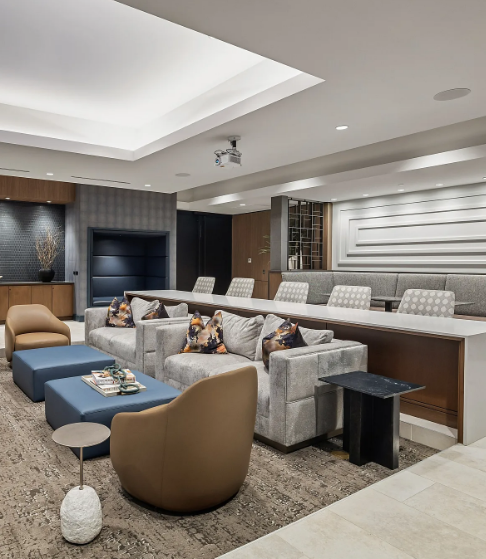
The media room at Hanover Laguna Niguel, with lounge seating, a long work counter, and a projector
Our meeting space

Where we will meet

Hanover Laguna Niguel media room

27942 Forbes Road
Laguna Niguel, CA 92677
View location